Live measurements
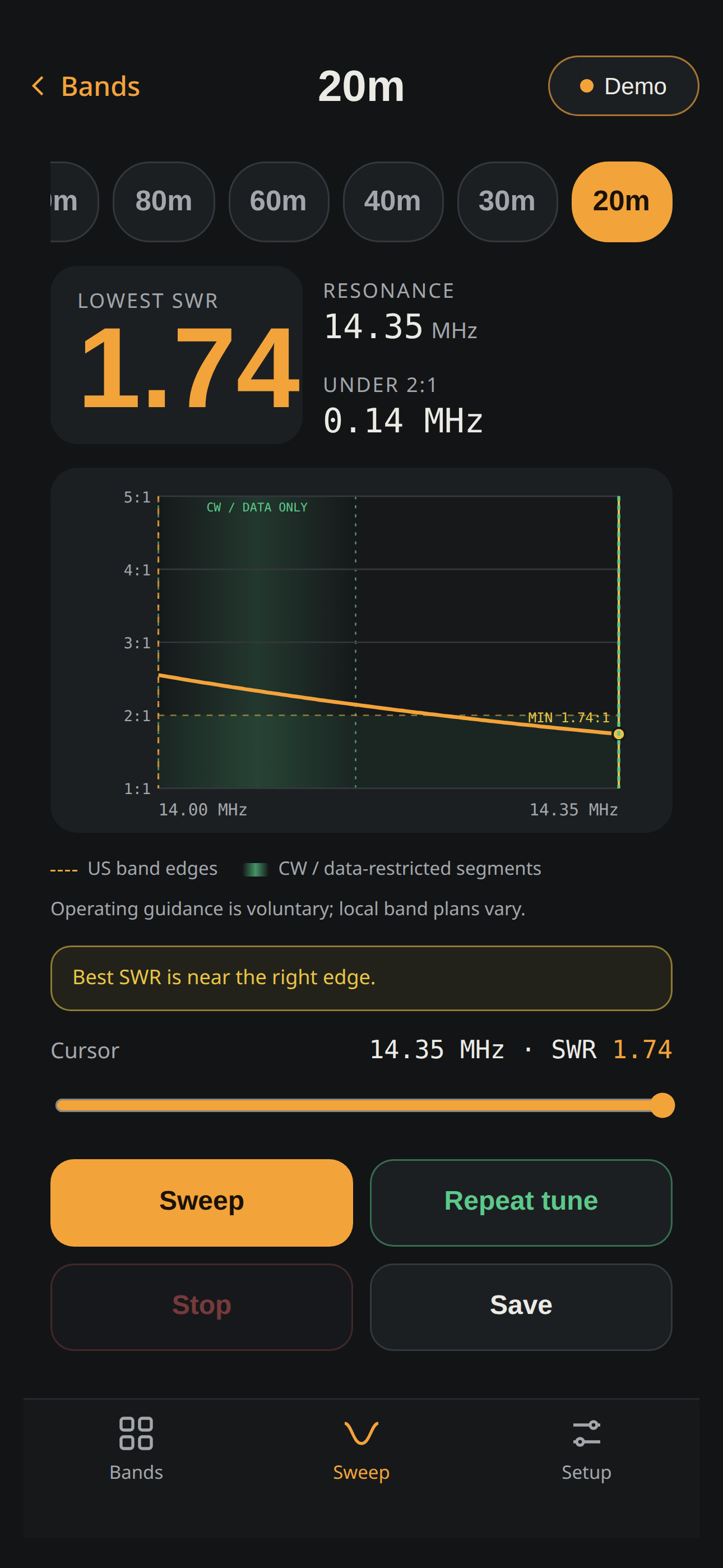
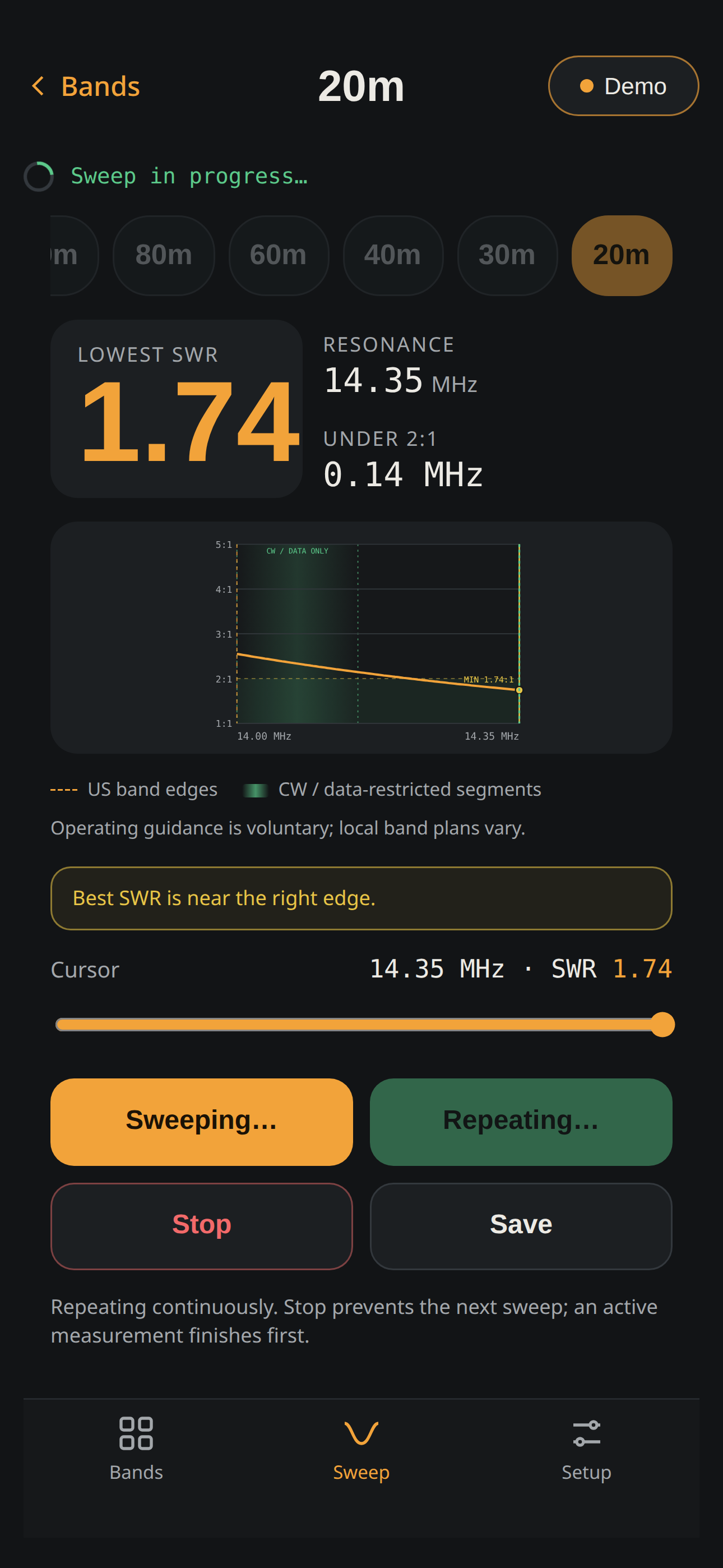
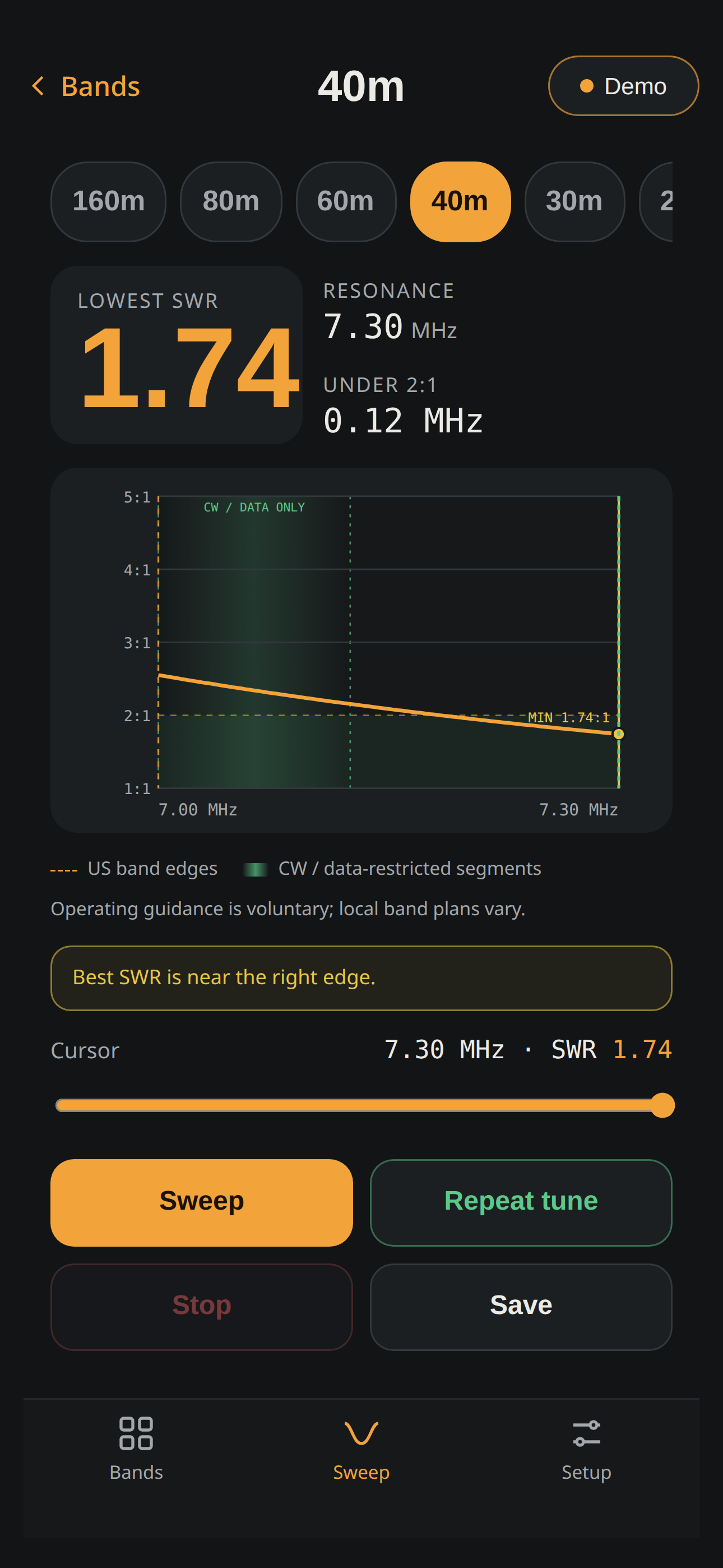
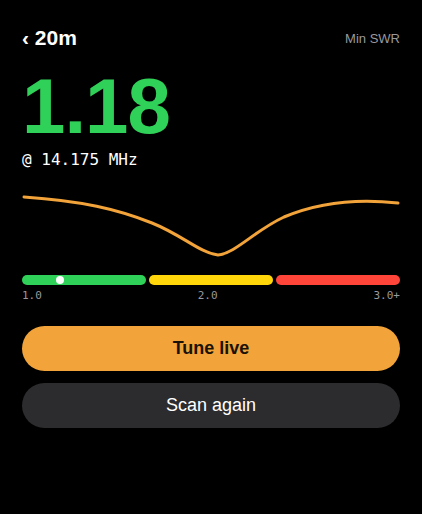
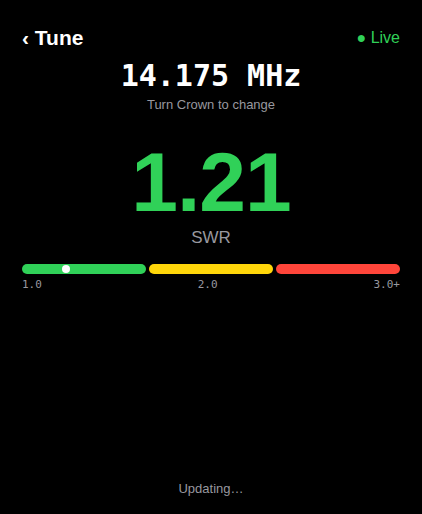
Run band sweeps, inspect the SWR curve, and repeat tune while adjusting your antenna.
 VNAAIR
A compact bridge for your NanoVNA
VNA Air is a small bridge that plugs into your NanoVNA's USB port and sends its measurements wirelessly to your phone or computer. It runs on a low-cost ESP32-S3 board: buy it ready to use, or install the free firmware on your own board. Tune bands and compare SWR right at the antenna.
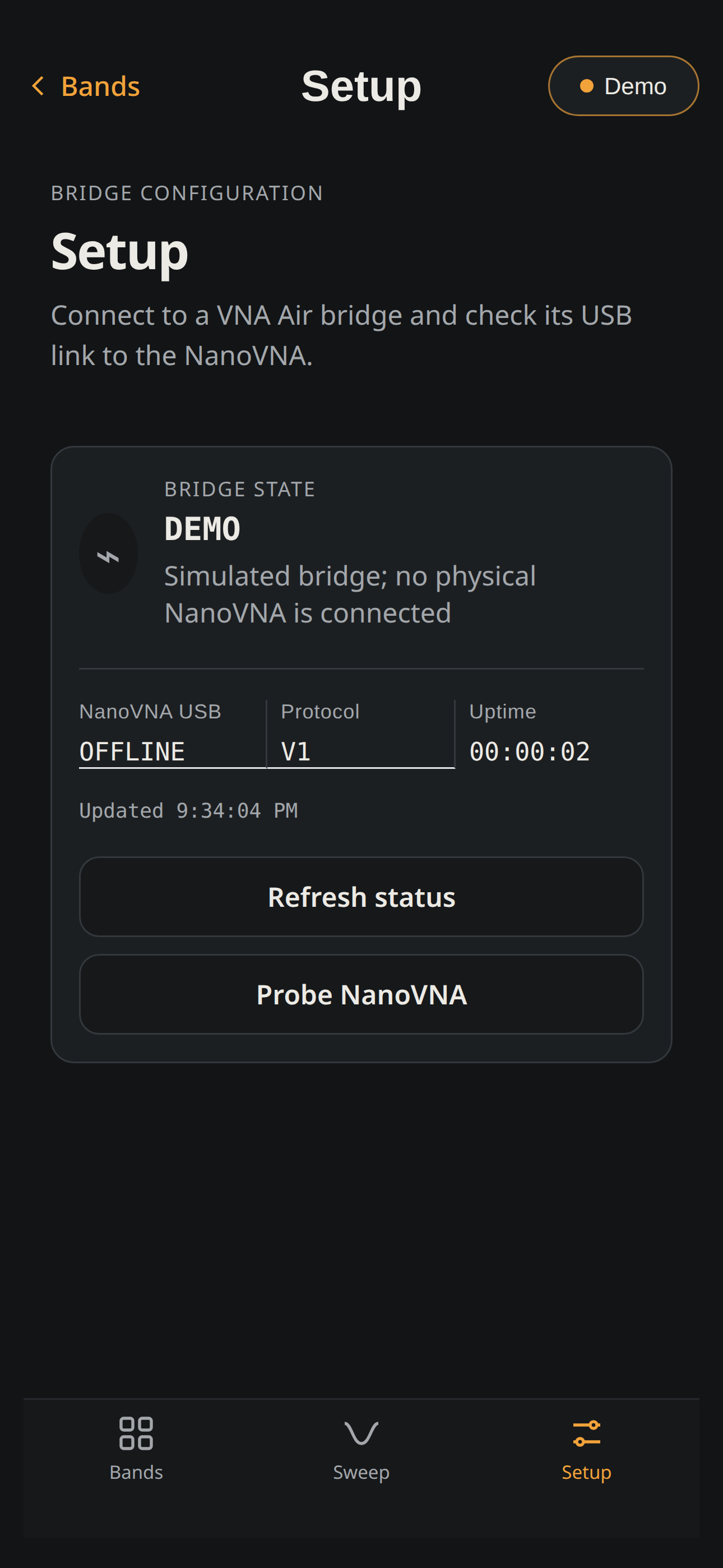
Use the bridge with the VNA Air browser app (Android, desktop Chrome/Edge, or iOS via the Bluefy browser) or the native iOS companion. The browser app also includes a simulated device so you can explore without hardware.
Run band sweeps, inspect the SWR curve, and repeat tune while adjusting your antenna.
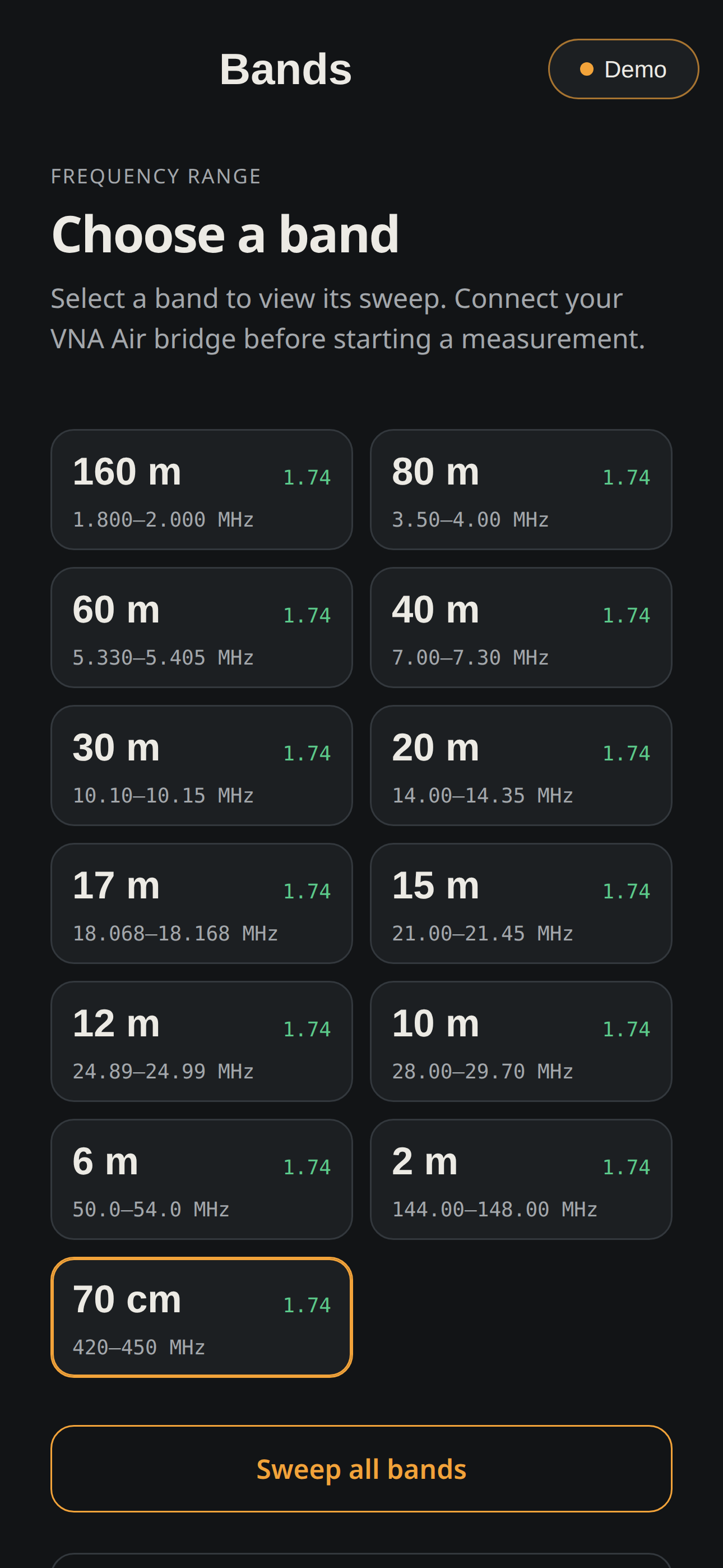
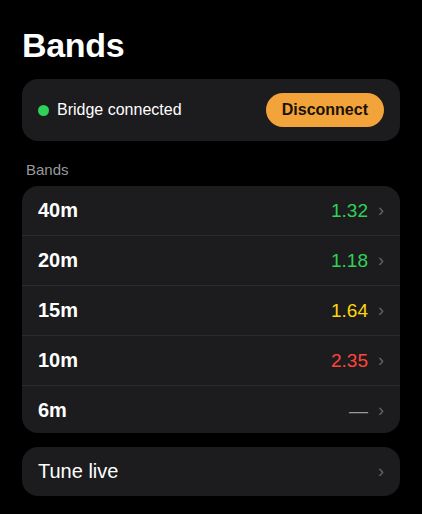
Compare amateur-band results at a glance, then open a full sweep to locate a resonance.
The ESP32-S3 relays NanoVNA measurements over Bluetooth LE to supported apps.
Real screens from the VNA Air iPhone and Apple Watch apps, captured with the built-in simulated bridge. Select any image to view it full size.
Find your analyzer below. Bench-tested means we have run it through a VNA Air bridge on real hardware. Expected means it uses the same USB commands as a tested model, but we cannot promise it yet.
| Analyzer | Sweeps | Screenshots | Calibration in VNA Air | Load/save on the analyzer | Status |
|---|---|---|---|---|---|
| NanoVNA-Hfirmware 1.2.20 to 1.2.50 | Yes | Yes | Yes | Yes | Bench-tested |
| NanoVNA-H4firmware 1.2.20 to 1.2.50 | Yesup to 101 points | Yes | Yes | Yes | Bench-tested |
| LiteVNA 64 | Yes | YesLiteVNA firmware 1.4 or later | Yes | No | Bench-tested |
| NanoVNA-F V2SYSJOINT, firmware 0.6.x | Yesup to 3 GHz | Yes | Yes | No | Bench-tested |
| NanoVNA-D and original 2019 NanoVNADiSlord firmware 1.2.20 to 1.2.50 | Yes | Yes | Yes | Yes | Not tested |
| NanoVNA-Foriginal SYSJOINT model | Expected | No | No | No | Not tested |
| LiteVNA 62 | Expected | Expected | Expected | No | Not tested |
| NanoVNA V2 / S-A-A-2including SAA-2N, V2 Plus, V2 Plus4, NanoVNA-F V3 | Expected | No | Expected | No | Not tested |
| NanoVNA on stock edy555 0.x firmware | No | No | No | No | Not supported |
| LibreVNA, Sysjoint SV4401A / SV6301A, TinySA | No | No | No | No | Not supported |
No under Load/save on the analyzer does not mean you can't calibrate. It only means VNA Air can't load or save calibrations in the analyzer's own memory. You still run a full open, short, and load calibration in the VNA Air app, and VNA Air keeps it for you on the bridge and restores it when you reconnect.
Your NanoVNA shows its firmware version on its own screen, usually under CONFIG and then VERSION. On stock edy555 0.x firmware, updating the NanoVNA itself to current DiSlord firmware moves the same hardware into the supported rows. A LiteVNA 64 can draw up to 1 A, so avoid weak power sources.
If your model is marked Not supported, please do not buy the kit expecting it to work today. Email support@vnaair.com and we will tell you straight where support stands.
Own a model marked Not tested or Not supported? If you can help with troubleshooting or testing, email support@vnaair.com. Hands-on help from owners is how new models get added.
Not simulators. Every analyzer below has been driven through a VNA Air bridge, and support answers come from this same bench:
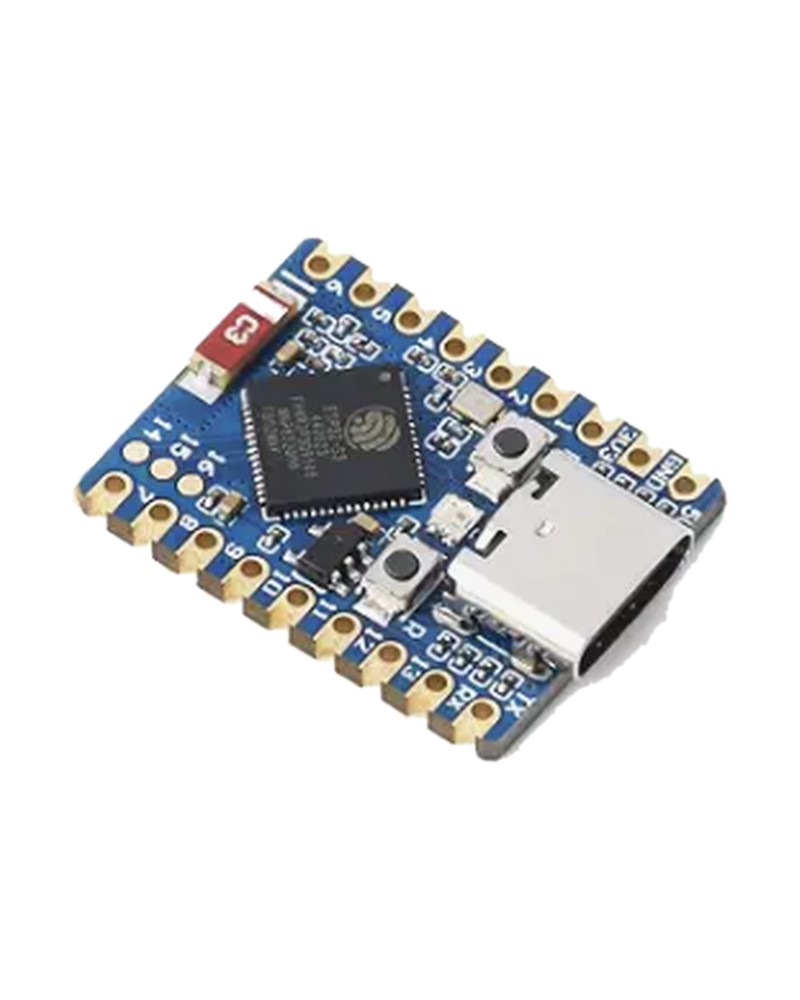
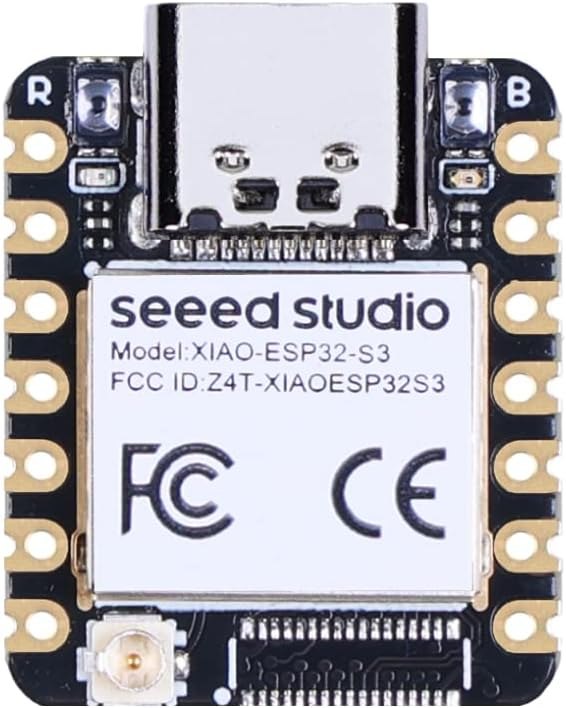
The bridge boards on the bench:
And the bench keeps growing: more firmware versions are being added to the harness, and NanoVNA-F V3 testing is on the way.
VNA Air runs on an ESP32-S3 board. Get it ready to use with the kit, or buy a board below and install the firmware yourself for free. Not sure? Buy the kit.
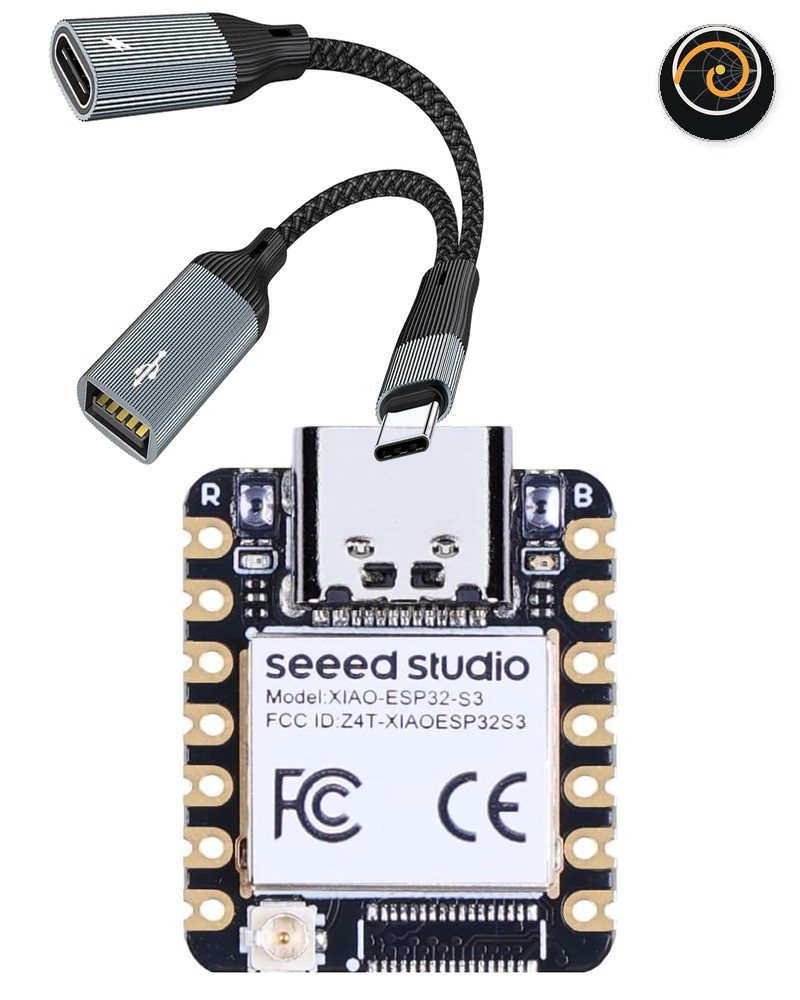
Flashed, tested, and ready to pair.
You supply any USB-C power source with its cable, such as a phone charger or power bank.
Works with the free VNA Air web app today, and with the iPhone app when it arrives on the App Store. The iOS beta on TestFlight is free for anyone. Beta kit buyers also get prioritized support at support@vnaair.com.
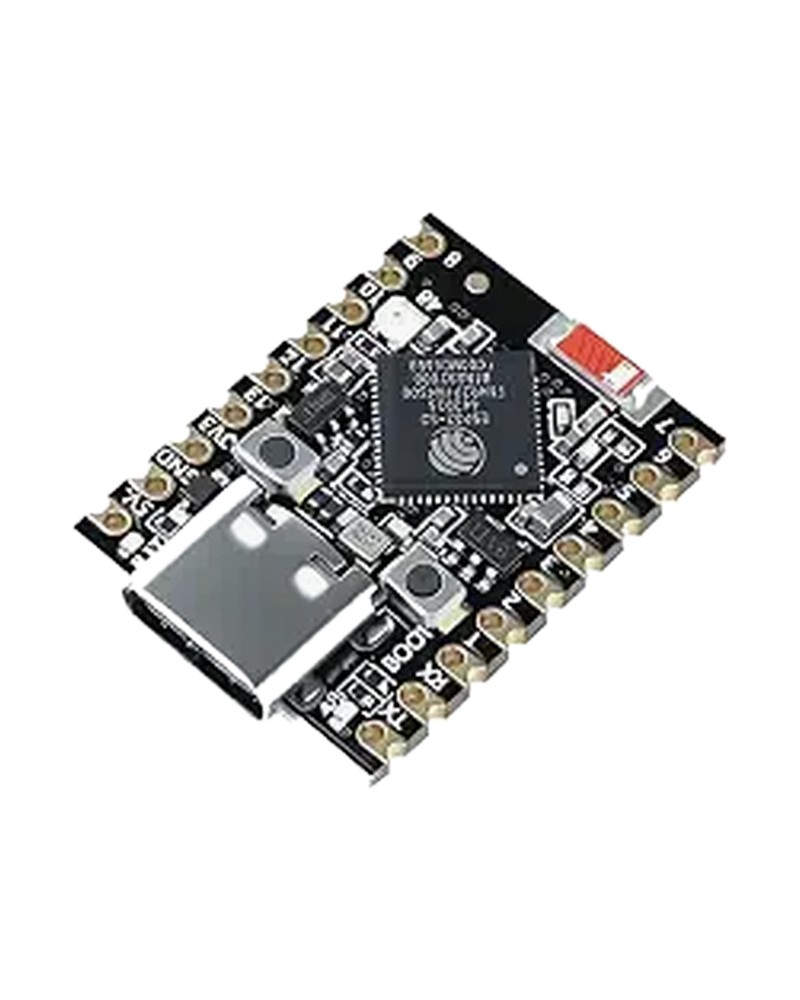
The small board in the VNA Air Kit, sold in black or blue, with 2 MB of working memory (PSRAM) and 4 MB of storage (flash). It has its own install button on this page, and needs the OTG splitter below for power.
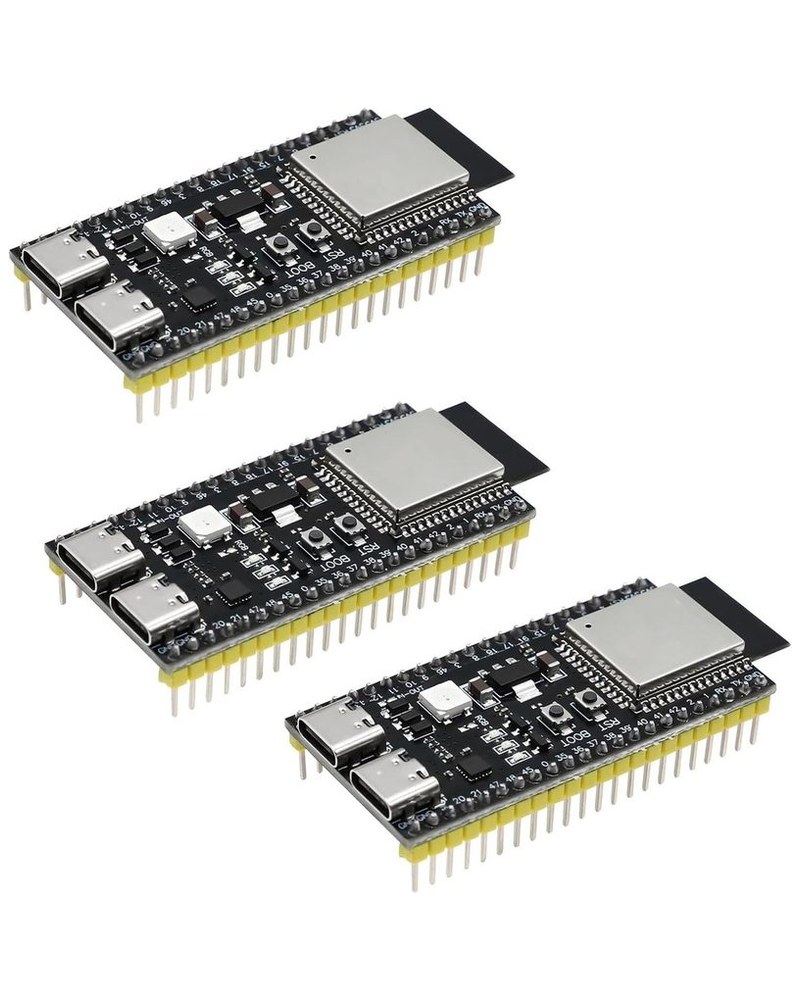
A full-size board with header pins that make experimenting easy. It needs two USB connections, as the note on power explains. N16R8 means 16 MB of storage and 8 MB of working memory, which this page shortens to 8/16.
Buy on Amazon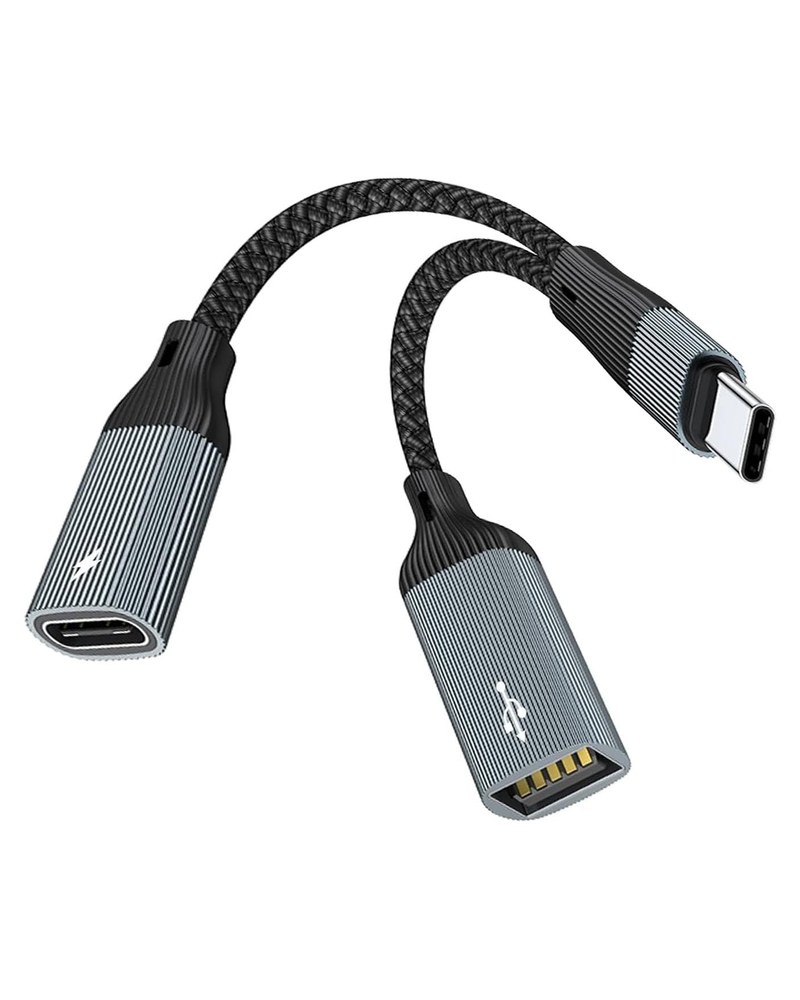
For the S3-Zero and the 8/8 XIAO. The USB-C plug goes into the board. Its USB-A port takes a USB-A to USB-C cable to your NanoVNA, and its USB-C charging port takes your power source. Included in the VNA Air Kit.
Buy on AmazonThe board and adapter links are Amazon affiliate links. If you buy through them, Robb may earn a small commission at no extra cost to you. The VNA Air Kit is sold directly by Robb, with no affiliate involved.
Worked very well for remote sweeps using a NanoVNA H4 over BLE. Essential for antenna testing without influencing the setup with hand capacitance. Recommended!
Phil Erickson, W1PJE
VNA Air has been a game changer for my portable setup. Being able to sweep my antennas and see the live results directly on my iPhone is incredibly convenient and saves me so much time in the field. It's a must-have for any NanoVNA user.
Daniel Poirot, KJ5IZK
The VNA Air is a very clever tool. I've tested SWR on an 80m EFHW across several bands, and connected it to an iPad, an Android phone, and a desktop PC. Once you've made the connection, which is pretty seamless, you can walk away and control the VNA from your phone or tablet. Very slick!
Mark Ashley, K4CK, North Carolina
Bought the VNA Air Kit? It is already installed, so skip this section. Otherwise, match your board to an install button below: the ESP32-S3-Zero has its own firmware, and 8/16 and 8/8 boards (such as the full-size N16R8 dev board and the Seeed XIAO ESP32S3) share another. The numbers are memory sizes: 8/16 means 8 MB of working memory (PSRAM) and 16 MB of storage (flash).
With the wrong firmware the install still finishes, but VNA Air never appears in the app. Nothing is damaged: run the installer again with the other button. Other boards with 8 MB of octal PSRAM, such as N8R8, use the 8/16 and 8/8 button. Any other board is untested.
Use a desktop version of Chrome or Microsoft Edge on this secure GitHub Pages site. Connect the board directly to your computer with a USB data cable. On a full-size dev board, use the port labelled COM. The S3-Zero and the 8/8 XIAO have one port: remove the OTG adapter first.
Run the board check first. It reads the chip over USB and writes nothing, then tells you which install button matches your board. If a board was sold under a name that does not match its chip, this is how you find out before flashing.
Most people should use the install buttons and can ignore these files. The .bin downloads are for advanced users flashing with esptool at offset 0x0. Using one erases VNA Air’s records of calibrations saved on your NanoVNA; VNA Air calibrations stay on the board.
Kit buyers: this is already done, so skip to step 02. Otherwise, use the installer above in a desktop browser.
Kit, S3-Zero, or 8/8 XIAO: plug the OTG adapter into the board, connect the NanoVNA to the adapter’s USB-A port, and connect a USB-C power source to its charging port. Full-size dev board: power the COM port and connect the NanoVNA to the USB port, directly or through a powered hub.
NanoVNA-H4: on the NanoVNA, open CONFIG, then CONNECTION, and change the connection type from SERIAL to USB. The H4 did not work with the bridge until this was set. Other models normally need no change.
Open the app (on iPhone, open it inside Bluefy), press Connect, choose your VNA Air device from the Bluetooth list, and start a sweep. If the sweep does not start, see Troubleshooting below.
Most connection problems come from the NanoVNA's connection type or from power. Work through these in order.
Make sure the H4's connection type is USB, not SERIAL: CONFIG, then CONNECTION, then USB. After changing it, unplug and replug the NanoVNA, then press Connect again.
Power the S3 from a full USB-C power source such as a wall charger, through the OTG splitter's charging port (S3-Zero and 8/8 XIAO) or the COM port (full-size dev board). Early failures on the H4 were tied to the power setup, wall charger versus battery pack, so if you are using a battery pack, try a wall charger.
These point to power or connection setup rather than a broken device. Check that the NanoVNA is in USB mode, that the power source is in the OTG splitter's charging port, and that your cables carry data. Then unplug everything, reconnect, and try again.
Still stuck? Email support@vnaair.com with your NanoVNA model, firmware version, board, and the exact error text.
Why does my NanoVNA show a calibration on its own screen, yet VNA Air may not treat its USB measurements as calibrated? And why do some models support it and others don't?
Safari on iOS does not support Web Bluetooth, so the web app can't connect to the bridge from Safari. If a link or a QR code opened this page in Safari, do not tap through from here. Here are your options:
Bluefy is a free iOS browser with Web Bluetooth support. Install Bluefy from the App Store, open Bluefy first, then go to vnaair.com/app.html inside Bluefy. It connects to the bridge just like on Android or desktop. There is no VNA Air app to install and no signup.
Join the TestFlight beta for the native iPhone and Apple Watch app. Free during the beta.
The native app will be $2.99 on the App Store. Beta testers get it free during the beta period.
Want the TestFlight invite? Email us and we'll add you.
Join the iOS BetaSign up to hear when the iPhone app ships on the App Store, when new firmware lands, and when more kits become available.
About one email a month covering firmware updates, kit restocks, and the iOS App Store launch. No spam, ever. Signing up opens your email app with a short pre-addressed message to us, so just press send.